Being an Airbnb host is not easy! You may charge rents for short and even longer-term stays. But what do you do if guests damage your property? Do you have rights? Can you send the guest a bill? What else can you do? Read this article. You’ll learn all about what to do if renter damages property!
All Hell Can Break Loose in an Airbnb Property
Airbnb property damage is sometimes a lot less severe than coming back to a completely trashed house. You may find that your washing machine is broken, your toilet is clogged, and that there are some broken dishes in the kitchen during a routine inspection. This is property damage. Oh, and they can also steal from your property. I’m not talking about the traditional lifting of toiletries or guest towels either.
Suppose they ferret off with some of your furniture, or spill nail polish remover on your couch or carpet? Don’t be naive and think that guests will automatically report property damage. Some might, but unfortunately, not all guests are that angelic. Of course, your guests could report the damage and offer $100 in compensation for ripping your good couch completely open. As if that would really replace the couch!
You’re not completely helpless. Here’s part of what to do if renter damages property:

Do Everything Through Airbnb’s Portals
It’s always best to communicate with guests on Airbnb’s platform if they cause significant property damage.
You’ll be keeping everything, especially the communications, transparent as well. What you do is politely and professionally ask the guest about the property damage. Now is a great time to use AI tools–like ChatGPT or Claude–as an assistant when drafting your questions and responses. Do the same when discussing possible solutions and remedies with your guest.
Cover your bases and document all communications occurring on Airbnb’s platform regarding property damage.
There’s always the chance that the guest may completely or partially shut down and may not be willing to continue with communication. Don’t sweat it. Escalate the issue through Airbnb Resolution Center by filing a formal complaint. Prove your complaint through formal documentation. That includes time-stamped photos and videos, detailed notes of the damage, and all details and cost breakdowns of the damage.
Inspect your property thoroughly 1-2 hours after a guest moves out. Being proactive also helps protect you from property damage. Whatever you do, remember not to touch or clean anything in your property until you’ve documented it for any damage sustained by guests after checkout. This is Airbnb’s golden rule.
Be Proactive
You’re being proactive when you take these steps to protect your properties regularly:
- Inspect and document your property’s condition. Do inventory counts as well.
- Research your guests thoroughly before agreeing to rent to them. That means doing complete background checks and scrutinizing their profiles.
- Lock up valuables and keep them away from plain sight.
- Leverage Airbnb’s security deposit and Host guarantee options for more protection.
- Buy extra property insurance. It comes in handy if your guests ever trash your property.
Remember that Airbnb has your back as well. AirCover for Hosts offers comprehensive host protection, including $1 million in liability insurance and $3 million in host damage protection. That will pay for damage to art, valuable items, cars, boats, other motor vehicles, and watercraft.
Note that Airbnb may not always accept AI-generated evidence accompanying guest damage complaints. The same is true for evidence that can’t be confirmed by (neutral) third-party sources.
Additionally, Airbnb doesn’t cover linen stains from registered and authorized guests. It will only reimburse you for damages done by pets or unauthorized guests. The new rules went into effect on April 10, 2026.
Interestingly enough, the Aircover program does cover smoke damage by guests. You must provide adequate proof of damage to get a check though. Acceptable evidence includes photos, professional assessments, smoke detector readings, or written admissions of smoking from guests.
Airbnb itself does comprehensive background checks on each guest you rent to. That includes verifying if the guests are on specific sanction lists or watchlists. They do this using advanced and proprietary screening technology to help keep your properties as safe as possible.
Note: Airbnb does allow you the option of contacting them by phone or chat day or night. Agents are professional and fluent in 64 languages.
How You Document and Report Damaged Property

Here’s what to do if renter damages property. You document and report the damaged property immediately after you find the damage. Make sure you take lots of clear photos and videos of the damage. Some of those should be before and after photos and videos. That gives you a baseline to judge the extent of property damage, which helps you file a stronger claim.
Your documentation and reporting work has just started. It will help Airbnb and other parties to honor your eventual claim if you write detailed observations of the date, extent, and nature of all property damage. You’ll want to correlate the observations with appropriate photos and videos. Finally, store all of this on a secure digital platform that you can easily and quickly access.
The next step is to get on the phone or hop online and get as many repair and replacement quotes from as many professional and reputed places as possible. That will give you accurate cost assessments which you can use to be reimbursed through Airbb.
You want to keep all repair receipts on file in case either Airbnb or the guest disputes costs and damage. Also, post clear house rules in an easy-to-find place. That’s an extra layer of protection for you as a host.
You’ll need to secure the property if you think the damaged property may injure someone. Always notify the guest before you file claims against him or her. Airbnb does offer great tips regarding communicating property damage with guests. I will list them now.
- Be calm, polite, and professional during all guest correspondence.
- Inform the guest(s) regarding damaged property: provide photos, videos, and other forms of documentation as evidence.
- Contact guest(s) as soon as you find the property damage.
- Suggest friendly and mutually beneficial solutions whenever possible.
- Important: Conduct all guest communication on Airbnb’s platform!
NB: Most guests will be willing to cooperate and resolve any property damage amicably. So keep that in mind during communication.
Here’s How You Minimize Property Damage Risk
Preventative measures protect you from property damage. You should educate guests thoroughly on house rules beforehand and have durable furniture in your properties. Keeping tidy and clean Airbnbs helps a lot as well because it dramatically lowers the prospects of guests damaging your Airbnbs by tearing, breaking, or spilling items.
Require all guests to post a hefty security deposit before their stay helps you pay for any damage that you may find after they leave. Making the deposit refundable in full for leaving the Airbnb in a condition that is equal to or better than it was before the stay greatly discourages property damage.
Keeping your property in the best shape possible with regular maintenance checks is another great way to minimize guest property damage risk.
Useful Tips for Filing a Reimbursement Request with Airbnb’s Resolution Center
You may not always be able to approach guests for reimbursement claims. The next best thing to do is to file a claim with Airbnb’s management. Airbnb’s Host Guarantee and certain components of its AirCover policy protect hosts from property damage by guests. It’s always wise to file the claim within 14 days of the guest checking out for the best results.
You want to include as much comprehensive documentation and proof as possible. That includes photos, repair estimates, detailed receipts, communication records, and other records. You should describe the damage clearly and in as much detail as possible. Be clear and transparent about your compensation requests as well.
Follow these steps when filing a reimbursement request:
- Always submit your detailed, comprehensive, and well-documented claim within Airbnb’s timeframe.
- Make sure that you follow all Airbnb guidelines when filing the claim.
- Remember that it’s your job to monitor claim status and submit additional information upon request.
Some Great News
Airbnb has host damage protection, which covers you if your guests (or who they invite over, with or without your permission) ever damage your property badly.
- Reimbursement for property damage, furniture and furnishings, valuable items, or your belongings.
- You will get a check for damage to vehicles: parked cars, boats, etc…
- Costs for removing unusual stains, pet urine and poop, cigarette or cigar smoke when guests invite others over without your knowledge, and/or permission.
- Lost income stemming from cancellations because of guest damage.
Unfortunately, Airbnb will not issue a check for the following damages:
- Damage from normal wear and tear. That includes used toiletries, batteries, light bulbs, and cleaning supplies.
- Lost currency
- Loss resulting from “Acts of God.”
- Damaged guest property or injured guests or third parties.
- Routing cleaning after a guest checks out.
- Other limitations may apply.
Here’s How You Submit a Reimbursement
- File a reimbursement claim in the Resolution Center within 14 days of the guest checking out. Be sure to submit all relevant documentation, evidence, and proof of damage.
- Guests have 24 hours to respond to the claim. You can escalate the matter to Airbnb’s host damage protection if they don’t respond, pay partially, or refuse to pay at all. Your claim will be reviewed by Airbnb Support.
An Interesting Note
Airbnb will cover you if a guest’s dog knocks a painting down in one of your properties and completely chews through it. These terms explain Airbnb’s pet damage reimbursement policies in more detail.
Checking an Airbnb Claim Status on a Desktop
- Power on your desktop.
- Launch a browser.
- Click Resolution Center.
- Find your particular request and click on any row to open it.
Checking an Airbnb Claim Status on an Apple Mobile Device
- Power on your Apple mobile device.
- Launch a browser.
- Tap Resolution Center.
- Locate the request you want and tap anywhere in the row to open it.
Checking an Airbnb Claim Status on an Android Device
- Power on your Android device
- Launch a browser
- Tap Resolution Center
- Locate the request you want and tap anywhere in the row to open it.
Checking an Airbnb Claim Status on a Mobile Browser
- Power on your mobile device
- Launch a browser
- Tap Resolution Center
- Locate the request you want and tap anywhere in the row to open it.
How You Request or Send Money in Airbnb’s Resolution Center
As I have already explained to you, Airbnb’s Resolution Center is your go-to place if a guest causes any sort or type of property damage. But you need to know how to request or send money once you submit and have a claim honored. You’ll learn how to do that now.
A note: You must alter reservations using Airbnb’s Change reservation tool. Airbnb WILL NOT let you collect on extra costs/expenses or refund nights, number of guests, or number of pets through its Resolution Center.
Airbnb won’t let you charge mandatory guest fees through its Resolution Center. The only exceptions are:
- Select software-connected hosts. You may collect reimbursements–mandatory fees and security deposits–if you’re a host who’s connected through certain property management software programs, you can avail this option.
Refer to the listing’s price breakdown when your guests checkout for more information on this. You must collect reimbursements directly from your guests if your properties are in an area where Airbnb doesn’t collect them on your behalf or if local laws require you to physically collect them.
You are required to inform guests that you will be collecting taxes in the listing description (before they book a stay).
Handling Funds Requests Through Airbnb’s Resolution Center on a Desktop
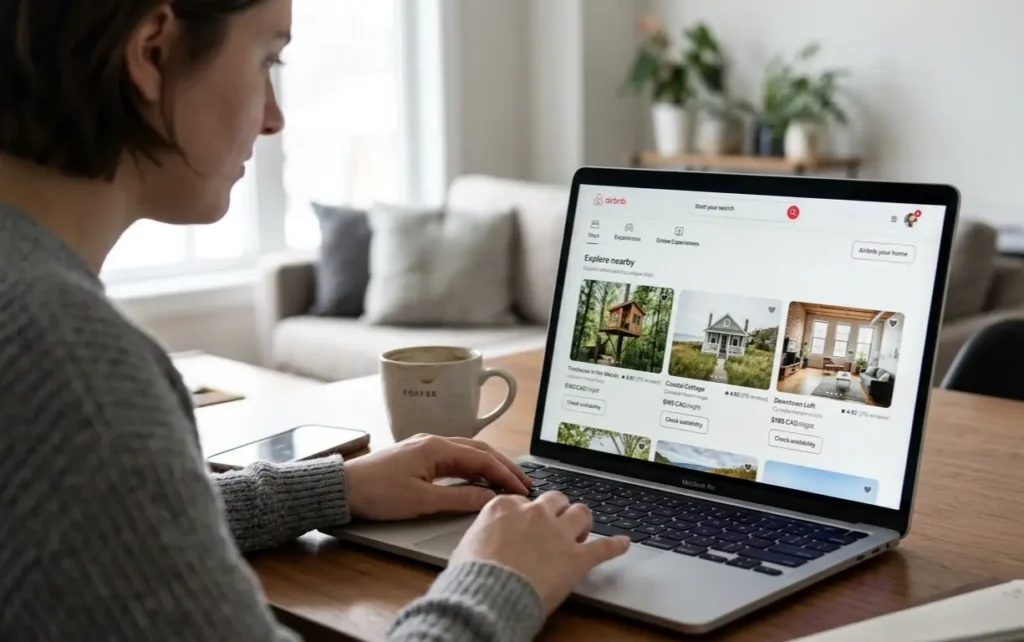
- Power your desktop on.
- Launch a browser.
- Select the Resolution Center.
- Click on the Request Money option
- Select the reservation you want.
- Click on the Choose option.
- Go to the What is this request for? Section.
- Select the best reason for asking for a fund request.
- Key in your request amount.
- Strengthen your request by uploading attachments and creating notes (optional).
- Select the Next option.
- Finally, click on the Request button.
Handling Funds Requests Through Airbnb’s Resolution Center on an Apple iPhone
- Power your phone on.
- Launch a browser.
- Tap Resolution Center and then tap the Request money option.
- Tap on the desired reservation.
- Select the best reason for the reimbursement request in the What is this request for? Section.
- Input the money request amount.
- Upload additional attachments and add a note (optional) to strengthen your request.
- Tap on the Next button.
- Finally, tap on the Request button.
Handling Funds Requests Through Airbnb’s Resolution Center on an Android Phone
- Power your phone on.
- Launch a browser.
- Tap Resolution Center and then tap the Request money option.
- Tap on the desired reservation.
- Select the best reason for the reimbursement request in the What is this request for? Section.
- Input the money request amount.
- Upload additional attachments and add a note (optional) to strengthen your request.
- Tap on the Next button.
- Finally, tap on the Request button.
Handling Funds Requests Through Airbnb’s Resolution Center on a Mobile Browser
- Power your device on.
- Launch the mobile browser.
- Tap Resolution Center and then tap the Request money option.
- Select the desired reservation.
- Select the best reason for the reimbursement request in the What is this request for? Section.
- Input the money request amount.
- Upload additional attachments and add a note (optional) to strengthen your request.
- Tap on the Next button.
- Finally, tap on the Request button.
Sending Guests Money Through Airbnb’s Resolution Center
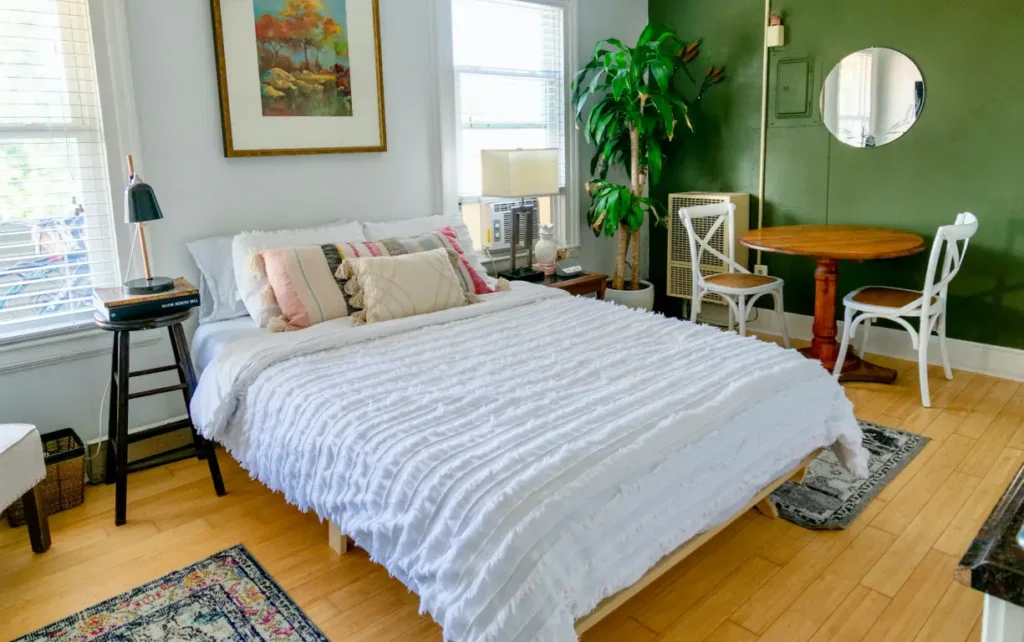
You may need to send a guest money for overpaid fees or other issues. As you’re going to learn in the next few sections, there’s a process for doing that.
Here’s How You Send Money Through Airbnb’s Resolution Center
While it’s great that you now know how to request funds from guests through Airbnb’s Resolution Center, you need to know how to send money through the center as well. Let me explain how to do so on various digital devices.
Sending Guests Money Through Airbnb’s Resolution Center on a Desktop
- Power your desktop on.
- Launch a browser.
- Click on the Resolution Center option.
- Next, select the Send money option.
- Find the reservation you want and click on the choose button.
- Select the best reason describing why you want to send money in the What is this payment for? Section.
- Input the amount you want to send, along with a note describing what you want the receiver to use the funds for.
- Select the next button.
- Select your payment method.
- Click on the Confirm and pay button.
Sending Guests Money Through Airbnb’s Resolution Center on an iPhone
- Power your iPhone on.
- Launch a browser on your device.
- Tap on the Resolution Center option.
- Tap on the send money option.
- Choose the reservation.
- Select the best reason describing why you want to send money in the What is this payment for? Section.
- Input the amount you want to send, along with a note describing what you want the receiver to use the funds for.
- Tap on the Next button.
- Select your payment method
- Tap on the Confirm and pay button.
Sending Guests Money Through Airbnb’s Resolution Center on an Anrdoid Phone
- Power your Android phone on.
- Launch a browser on your device.
- Tap on the Resolution Center option.
- Tap on the send money option.
- Choose the reservation.
- Select the best reason describing why you want to send money in the What is this payment for? section.
- Input the amount you want to send, along with a note describing what you want the receiver to use the funds for.
- Tap on the Next button.
- Select your payment method.
- Tap on the Confirm and pay button.
Sending Guests Money Through Airbnb’s Resolution Center on a Mobile Browser
- Power your mobile device on.
- Launch a mobile browser on your digital device.
- Tap Resolution Center option.
- Tap on the Send money option.
- Choose the reservation.
- Select the best reason describing why you want to send money in the What is this payment for? Section.
- Input the amount you want to send, along with a note describing what you want the receiver to use the funds for.
- Tap on the Next button.
- Select your payment method.
- Tap on the Confirm and pay button.
FAQs
What can you do as an Airbnb host if a renter damages your property?
You can ask the guest to reimburse you for the damage through Airbnb’s Resolution center. You’re covered for some damages through Airbnb’s AirCover program if you encounter obstacles when seeking reimbursement.
There are three key steps involved in this process:
Direct Resolution and Claims
- You Process a Claim–You have 14 days after the guest checks out to document damage and file a claim in Airbnb’s Resolution center.
- Guest Response–The guest has 24 hours to respond to a reimbursement request. The issue is considered to be resolved if the guest pays.
- Disputes–You can escalate your claim to Airbnb Support and provide documented evidence like photos, videos, and repair or replacement receipts if the guest either refuses to pay or ignores the initial claim.
AirCover
- Host Damage Protection–: Airbnb’s AirCover for Hosts protects hosts if guests refuse to pay for damage.
- Guest Liability–Airbnb may charge the guest if it determines that the claim is valid. Airbnb charges the credit card that the guest has on file.
Covered v.s. Excluded Damages
- Covered–Physical damage, including damage to buildings, furniture, or host property. Pet damage, smoke odors, and cleaning fees resulting from extreme messes are covered by Airbnb.
- Excluded–Regular wear and tear, normal cleaning costs, and income foregone by the host when the cleaning and repairs took place.
Explain Airbnb’s 75-55 rule.
The 75-55 rule is an investment and revenue benchmark that hosts and investors use to evaluate how much profit a property could generate. It groups long-term profitability into two easily understood categories:
- 75% Occupancy–It assumes that properties will be booked for at least 270 nights, or 75% of the year.
- 55% Earnings/Net Margins–It estimates that net income from properties will equal 55% of its gross booking revenue.
The rule is important because it keeps many hosts from overestimating their bookings, and it helps hosts to determine if a property will be profitable before buying or leasing it.
Conclusion
This article should have answered the question, “What to do if renter damages property?” You’re probably asking this question if a guest has just checked out and has violated your clearly stated house rules by smoking in your property. You do have options. Just know that Airbnb has your back if guests try to destroy your property.